
The Best Value AC Diagnostic Scanner for Cars
Looking for the best value AC diagnostic scanner that fixes your car's AC issues fast—without overpaying for premium tools or settling for useless cheap ones? You're in the right place. Most drivers and mechanics struggle with two extremes: pricey scanners that pack unnecessary features, or budget tools that can't handle critical AC tasks like sensor resets or compressor calibration. The VDIAGTOOL VD70S solves this dilemma.
In this guide, we'll cut through the noise and give you exactly what you need:
✅ The #1 best value AC diagnostic scanner (tested by mechanics and DIYers alike)
✅ Breakdown of must-have AC repair features (relearn, reset, pressure monitoring, etc.)
✅ Honest comparison vs. top competitors (Autel MX808, Launch CRP123)
✅ Step-by-step guide to fix AC problems in 30 minutes or less
✅ How to save $160+ on updates and dealer services (no pro experience needed)
By the end, you'll know exactly why the VD70S delivers the best long-term value for AC diagnostics—and how to use it to avoid costly repair bills and frustrating retries.

VDIAGTOOL VD70S: The Best Value AC Diagnostic Scanner for Your Garage
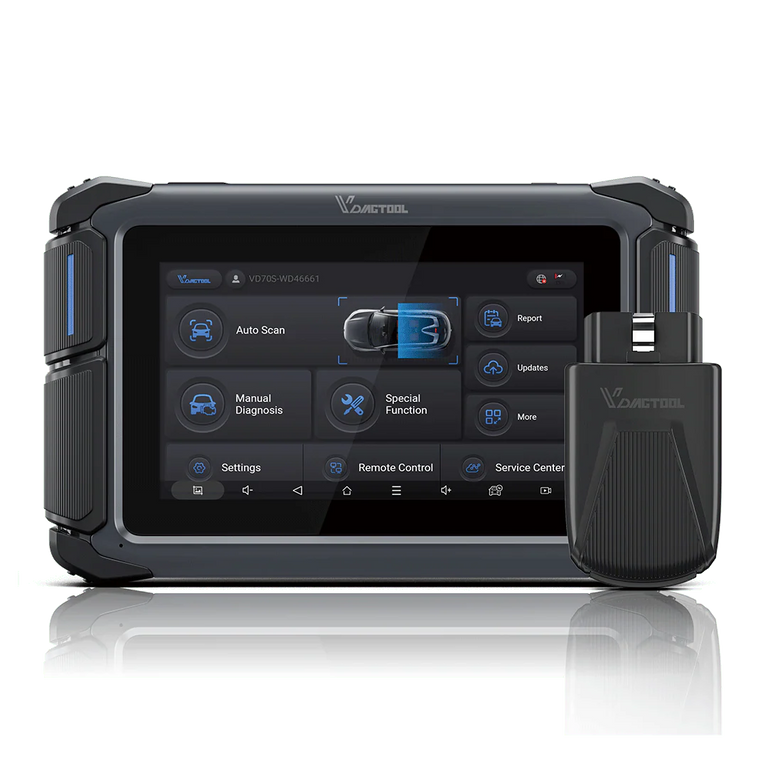
When shopping for an AC diagnostic scanner, you're often forced to choose between affordability and functionality. Cheap scanners lack critical AC-specific features, while premium models (like Autel or Launch) either cut corners on updates or charge exorbitantly for full functionality. The VD70S strikes the perfect balance between value and performance. Priced at $419.99, it offers 38+ special diagnostic functions, full-system scanning, and 3 years of free online updates—features that competitors either omit or charge extra for. Plus, it supports 22 languages, making it ideal for international users or multi-lingual repair shops. Whether you're fixing your family car or running a small garage, the VD70S delivers professional-grade performance that justifies every penny of its price tag.
Key Features of the VD70S AC Diagnostic Scanner
38+ Special Diagnostic Functions (AC & Beyond)
The VD70S's standout feature is its suite of 38+ special functions—with a strong focus on AC system repairs. For mechanics, the A/C Relearn function is a game-changer: it calibrates the AC compressor and sensors after replacement, a task that usually requires expensive dealer tools. Other AC-related features include control unit reset, refrigerant pressure monitoring, and fault code interpretation for common issues like leaks or electrical failures. But the VD70S isn't just for AC—its special functions also cover rain/light sensor reset, camshaft learning, and turbocharger calibration, making it a versatile tool for full-car diagnostics.
Here's a quick breakdown of its most useful AC-focused functions:
| Special Function | Use Case |
|---|---|
| A/C Relearn | Calibrate the AC compressor after replacement |
| Control Unit Reset | Fix unresponsive AC controls |
| Refrigerant Pressure Monitoring | Detect low/high refrigerant levels |
Hardware & Performance That Delivers
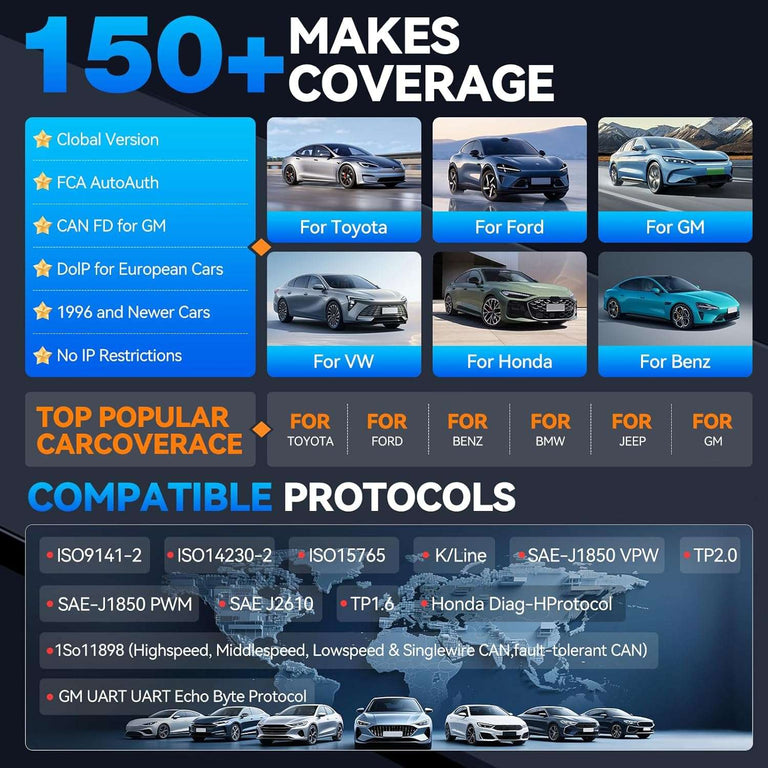
The VD70S is built for durability and ease of use. It runs on Android 10 with a 1.5GHz quad-core processor, ensuring fast scanning speeds and smooth navigation. The 7-inch HD touchscreen (1024×600 resolution) is bright and responsive, even in direct sunlight—critical for garage use. It supports both Wi-Fi and wired connections, and works with CAN FD/DOIP/FCA protocols, covering 95% of vehicles on the road (including 2020+ models from VW, BMW, Toyota, and more). With a 2500mAh battery and Type-C fast charging, it lasts all day on a single charge—perfect for busy mechanics.
22-Language Support for Global Users
Unlike most AC diagnostic scanners (which only support 8-10 languages), the VD70S offers 22 languages, including English, Spanish, German, Arabic, and Traditional Chinese. This is a huge advantage for repair shops that serve international customers or mechanics working abroad. The interface automatically adjusts to your preferred language, with clear, jargon-free instructions—no more struggling with poorly translated menus.
How the VD70S Outperforms Competitors
To prove its value, let's compare the VD70S to two popular competitors: the Autel MX808 ($399) and Launch CRP123 ($199). While the Launch CRP123 is cheaper upfront, it only has 15 special functions, no free updates, and supports just 8 languages—leaving you stranded with outdated software and limited functionality down the line. The Autel MX808 costs $20.99 less initially but only includes 1 year of free updates (annual renewal fees average $80) and lacks the VD70S's 22-language support. The VD70S outperforms both on long-term value: it's far more feature-packed than the Launch, offers 2 extra years of free updates (saving you $160+ in renewal fees over 3 years) compared to the Autel, and delivers exclusive AC-focused tools that both competitors lack—making its $419.99 price point a smart investment.
Step-by-Step: Using the VD70S for AC Diagnostics
One of the VD70S's best traits is its user-friendliness—even beginners can master AC diagnostics in minutes. Here's a quick guide:
- Connect the Scanner: Plug the OBD2 cable into your car's port (usually under the dashboard) and turn on the ignition. Power on the VD70S and select your car brand/model.
- Scan the AC System: Tap "AC System" from the main menu. The scanner will read fault codes and display key data (like evaporator temperature and compressor pressure).
- Perform Repairs/Resets: Use the "A/C Relearn" or "Control Unit Reset" function to fix issues. The scanner provides guided instructions to ensure you do it right.
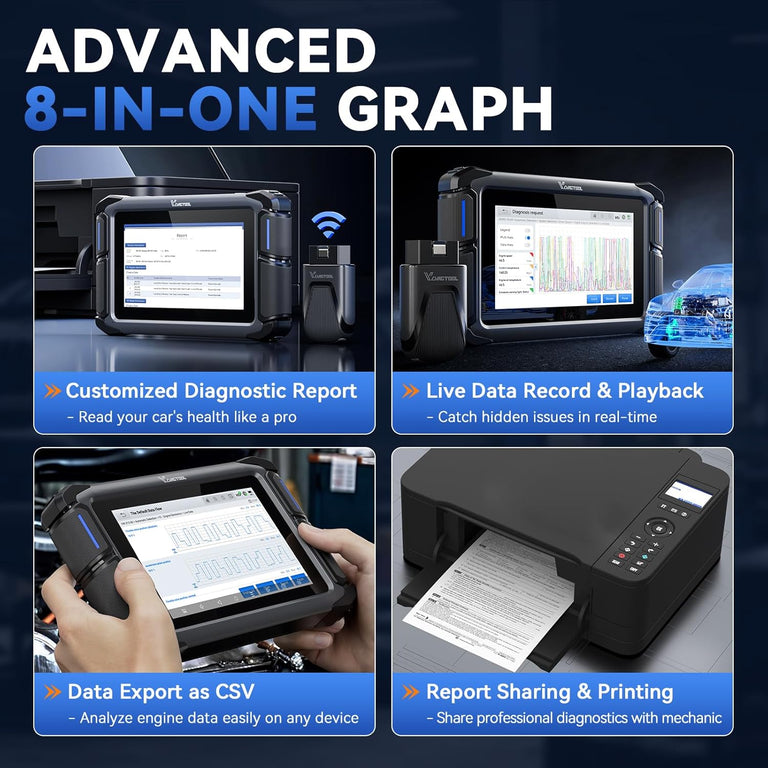
- Generate a Report: Save or export a PDF report of the scan results for your records or to share with customers.
Real-World Feedback from Mechanics & DIYers
The VD70S has earned rave reviews from professionals and hobbyists alike. "I run a small repair shop, and the VD70S has saved me hours—and hundreds in dealer fees," says Mike, a certified mechanic in Florida. "The A/C Relearn function alone justifies its $419.99 price—before, I had to send cars to the dealer for that service, which cost customers $150+ per job. Plus, 3 years of free updates mean I don't have to buy a new scanner every year." DIY enthusiast Sarah adds, "I'm not a pro, but the VD70S's interface is so easy to use. I fixed my car's AC leak in 30 minutes without calling a mechanic—saving me more than half the cost of the scanner in one repair."
Frequently Asked Questions (FAQs)
Q1: Is the VD70S suitable for beginners?
A: Yes! The intuitive interface and guided functions make it perfect for DIYers, while advanced features satisfy professionals.
Q2: Does it work with all car brands?
A: It supports most mainstream brands (VW, BMW, Toyota, Ford, etc.) and covers 95% of vehicles via modern protocols.
Q3: How often do I need to update it?
A: We recommend updating every 6 months—you get 3 years of free online updates to support new models.
Q4: Can it fix AC issues automatically?
A: It diagnoses faults and performs resets/relearns, but physical repairs (like replacing a compressor) require manual work.
Conclusion: Why the VDIAGTOOL VD70S Is the Best Value AC Diagnostic Scanner
If you're looking for an AC diagnostic scanner that balances performance, long-term value, and ease of use, the VD70S is the clear winner. It offers 38+ special functions (including critical AC tools), 22-language support, 3 years of free updates, and works with nearly every car on the road—all for $419.99. While it's not the cheapest upfront, its exclusive features and free updates eliminate the hidden costs that plague cheaper scanners (like paid renewals or costly dealer referrals). Whether you're a DIY enthusiast fixing your own car or a mechanic growing your business, the VD70S delivers professional results that save you time and money in the long run. Don't waste money on cheap tools that lack features or overpriced scanners with hidden fees—invest in the VDIAGTOOL VD70S and take control of your car's AC repairs today.


